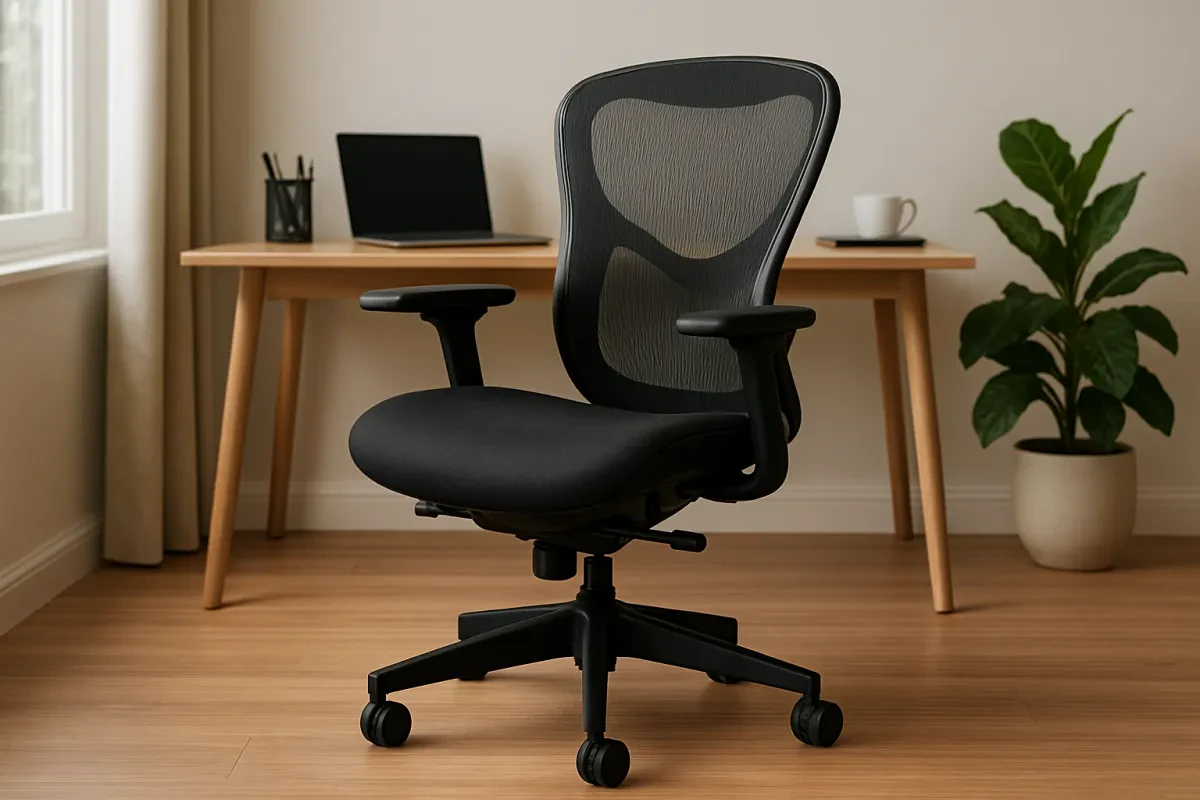
How to Choose an Ergonomic Office Chair for Your Home Desk (Simple Guide)
If you spend hours at your desk, your chair might be the most important piece of furniture you own. A good ergonomic office chair can reduce back pain, improve posture, and make long work or study sessions much more manageable. In this guide, we’ll walk through what really matters when choosing a chair for your home office or study setup.
When you’re ready to compare real options, you can browse our curated collection of office and ergonomic chairs here.
Why Your Chair Matters More Than You Think
It’s easy to overlook your chair—especially if you’re building a home office on a budget. But if you’re working or studying for several hours a day, that seat has a direct impact on how you feel during and after your day.
- Back and neck pain: A poorly designed chair encourages slouching and puts extra pressure on your spine.
- Fatigue: When your posture is off, your muscles work harder just to keep you upright.
- Focus: It’s hard to concentrate when you’re constantly shifting around trying to get comfortable.
An ergonomic chair isn’t magic, but it’s designed to support the natural curves of your spine, keep your joints in more neutral positions, and make it easier to maintain good posture without constantly thinking about it.
Key Ergonomic Features to Look For
You don’t need to be an expert in ergonomics to choose a better chair. Focus on a few core features and you’ll already be ahead of most generic “office” chairs.
Adjustable Seat Height and Depth
At a basic level, your feet should rest flat on the floor, your knees should be close to a 90° angle, and your thighs should be roughly parallel to the ground. That’s why adjustable seat height matters so much.
Seat depth is also important: you want to be able to sit all the way back in the chair with your back supported, while still leaving a small gap (about 2–3 fingers) between the front of the seat and the back of your knees.
Lumbar (Lower Back) Support
Your lower back has a natural inward curve. If your chair doesn’t support that curve, you’re more likely to collapse into a slouched “C‑shape” posture over time. Look for:
- A noticeable curve in the lower part of the backrest.
- Even better: adjustable lumbar support that can move up/down or in/out.
Backrest Tilt and Recline
Being locked in a perfectly upright position all day isn’t ideal. A good ergonomic chair allows you to recline slightly and adjust the tension so you can lean back comfortably without feeling like you’ll tip over.
- Tilt tension: Controls how easy it is to lean back.
- Tilt lock: Lets you lock the backrest at certain angles if you prefer.
Armrests (Height, Width, and Angle)
Armrests help take pressure off your shoulders and upper back, but only if they’re in the right place. Ideally, your elbows should rest at about 90° with your shoulders relaxed.
Look for chairs with:
- Height‑adjustable armrests so they can match your desk height.
- Side‑to‑side or angle adjustments if you type close to your body or wider out.
Seat Cushion and Material
Nobody wants a chair that feels like a rock—or one that collapses after a few months. The sweet spot is a cushion that’s firm enough to support you, but still comfortable.
Materials to consider:
- Mesh: Great for breathability during long sessions or warmer climates.
- Fabric / foam: Often feels softer; just make sure the foam is dense enough not to flatten quickly.
- Faux leather / leather: Stylish and easy to wipe down, but can run warmer.
Matching the Chair to Your Space and Setup
For Small Rooms and Apartments
When space is tight, the chair you choose needs to fit both your body and your room. Look for:
- Slimmer frames that don’t dominate a small corner or bedroom.
- Chairs that can tuck fully under the desk when not in use.
- Lighter colors if your room is small or dark, to keep things from looking heavy.
Many of the chairs in our Office & Ergonomic Chairs category are chosen with home offices and small spaces in mind, not just big corporate setups.
For Long Workdays vs Occasional Use
If you work from home full‑time, it’s usually worth investing in a chair with more adjustability and stronger ergonomic support. If you only sit for a couple of hours a day (for homework or light admin), you can sometimes get away with a simpler design.
- Full‑time / all‑day use: Prioritize lumbar support, adjustability, and build quality.
- Part‑time / occasional use: You can lean more on budget and aesthetics, but still avoid ultra‑cheap, unsupportive chairs.
Common Chair Buying Mistakes to Avoid
Before we look at some real‑world examples, it helps to know what not to do.
- Choosing only by looks: A stylish chair that hurts after 30 minutes isn’t a good deal.
- Ignoring adjustability: Fixed armrests and non‑adjustable backs are harder to fit to your body and desk.
- Forgetting about room size: Huge “throne” chairs can overwhelm small rooms or not fit under compact desks.
- Going for the absolute cheapest option: You often end up replacing it quickly—and spending more in the long run.
Example Ergonomic Chairs from Our Collection
To make things more concrete, here are a few example chairs from our Office & Ergonomic Chairs category and the types of users they can work well for.
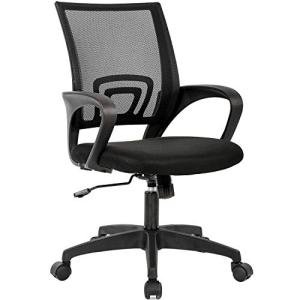
1. Black Ergonomic Desk Chair — Best for Budget Home Offices
This chair offers a classic black design with ergonomic shaping at a very accessible price point. It’s a solid option if you’re building your first home office and want a step up from a basic dining chair or a flat, non‑adjustable seat.
- Good for: Budget‑friendly home offices, occasional work, general use.
- Why it stands out: Ergonomic back design at a low price, simple style that fits most rooms.
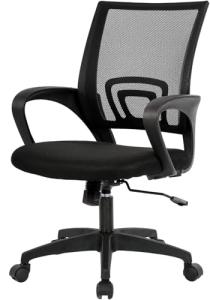
Ergonomic Mid-Back Swivel Desk Chair in Black
Enjoy all-day comfort and support with this stylish and adjustable chair for your workspace
Product information
$39.98
Product Review Score
4.93 out of 5 stars
39 reviewsProduct links
2. Marsail Adjustable Ergonomic Chair — Great All‑Rounder for Daily Use
The Marsail Adjustable Ergonomic Chair is a strong all‑round choice if you’re sitting for multiple hours a day. With a higher review score and plenty of adjustability, it’s designed for people who want real ergonomic benefits without going ultra‑premium.
- Good for: Remote workers, freelancers, students with long study sessions.
- Why it stands out: Multiple adjustments and ergonomic shaping at a mid‑range price.
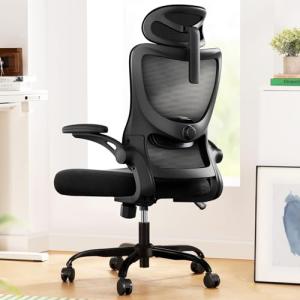
Marsail Ergonomic Office Chair with Adjustable Support
Experience comfort and style while you work with this versatile ergonomic chair designed for your home office
Product information
$139.99 $118.96
Product Review Score
4.94 out of 5 stars
42 reviewsProduct links
3. Ergonomic Mesh Chair with Support — Best for Breathability
If you tend to run warm or live in a hotter climate, a mesh chair can be much more comfortable than a thick, padded seat. The Ergonomic Mesh Chair with Support combines a breathable backrest with lumbar support to help keep you cool and supported.
- Good for: Warmer environments, people who prefer a lighter, cooler feel.
- Why it stands out: Mesh construction for airflow, plus dedicated lumbar support.

Ergonomic Mesh Office Chair with Lumbar Support
Experience comfort and support during long work hours with this stylish ergonomic chair
Product information
$69.99 $57.94
Product Review Score
4.32 out of 5 stars
90 reviewsProduct links
4. Navy Blue Rolling Office Chair — Stylish Choice for Home Decor
Not everyone wants a standard black office chair. The Navy Blue Rolling Office Chair adds a bit of color and personality while still functioning as a practical task chair. It’s a nice option if your desk is in a shared living space and you care about how it looks with the rest of your decor.
- Good for: Home offices in living rooms or bedrooms, style‑conscious setups.
- Why it stands out: Attractive color and design that blends better with home furniture.
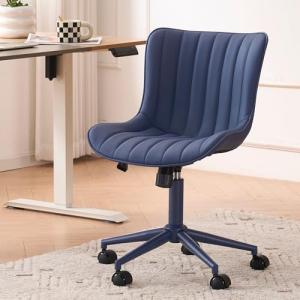
Navy Blue Armless Rolling Office Chair with Comfort
Experience ergonomic support and stylish comfort for your home office with this navy blue armless rolling chair
Product information
$199.99
Product Review Score
4.65 out of 5 stars
90 reviewsProduct links
5. GABRYLLY Ergonomic Office Chair — Premium Comfort and Support
The GABRYLLY Ergonomic Office Chair is a more premium option with a strong focus on support and adjustability. It’s a good fit if you’re ready to invest more in comfort, especially for full‑time work‑from‑home setups.
- Good for: Full‑time remote workers, people with recurring back or neck discomfort.
- Why it stands out: Higher‑end ergonomic design with multiple adjustment points.
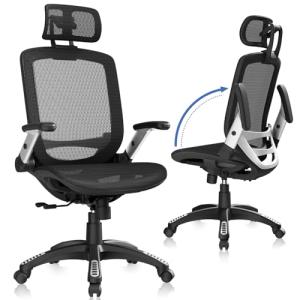
GABRYLLY Ergonomic High Back Office Chair
Experience comfort and support while you work long hours with this stylish and adjustable office chair
Product information
$269.50 $192.50
Product Review Score
4.17 out of 5 stars
123 reviewsProduct links
Final Checklist Before You Buy
Before you make a decision, run through this quick checklist:
- Does the chair offer adjustable height and at least basic tilt or recline?
- Is there lumbar support (ideally adjustable) for your lower back?
- Will it fit your room and desk without overwhelming the space?
- Is the seat material appropriate for your climate and comfort preference?
- Does it fit your budget without sacrificing the core ergonomic features you need?
A supportive office chair is one of the smartest upgrades you can make to your desk setup. You don’t have to buy the most expensive model on the market, but it’s worth choosing something that genuinely supports your body and the way you work.
When you’re ready to explore options, take a look at our full range of chairs here: Browse Office & Ergonomic Chairs.